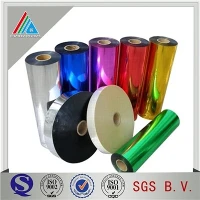
Hey there! As a laminating film supplier, I've seen my fair share of issues when folks are using our products. Laminating film is super useful, whether it's for protecting documents, packaging, or adding a special touch to various items. But sometimes, things don't go as smoothly as we'd like. So, let's talk about how to troubleshoot problems when using laminating film.
1. Air Bubbles
One of the most common problems is air bubbles. You know, those annoying little pockets of air that get trapped between the film and the item you're laminating. It can make the whole thing look messy and unprofessional.
Cause:
- Not applying the film evenly. If you're not careful when laying the film on the item, air can get trapped.
- Using the wrong type of laminating machine. Some machines may not apply enough pressure to squeeze out the air.
Solution:
- Start by making sure the surface you're laminating is clean and dry. Any dust or moisture can cause air bubbles.
- When applying the film, start from one end and slowly smooth it out towards the other end. Use a squeegee or a credit card to gently push out the air as you go.
- If you're using a laminating machine, make sure it's set to the right temperature and pressure for the type of film you're using. You might need to do a test run on a scrap piece of paper to get the settings just right.
2. Wrinkles
Wrinkles in the laminating film can be a real headache. They can ruin the appearance of your laminated item and make it look unappealing.
Cause:
- Incorrect handling of the film. If you bend or fold the film before laminating, it can lead to wrinkles.
- The laminating machine may be running too fast, causing the film to bunch up.
Solution:
- Handle the film carefully. Avoid bending or folding it before laminating. If you do accidentally bend it, try to straighten it out as best you can.
- Adjust the speed of your laminating machine. If it's running too fast, slow it down to give the film enough time to smooth out.
- If you already have wrinkles in the laminated item, you can try using a heat gun on a low setting to gently heat the film and smooth out the wrinkles. But be careful not to overheat the film, as it can melt or warp.
3. Adhesion Issues
Sometimes, the laminating film doesn't stick properly to the item you're laminating. This can be a major problem, especially if you're relying on the film to protect the item.
Cause:
- The surface of the item may not be compatible with the film. Some materials may not have enough surface tension for the film to adhere properly.
- The film may be expired or of poor quality.
Solution:
- Make sure the surface of the item is clean and free of any oils, dirt, or debris. You can use a mild cleaning solution to clean the surface before laminating.
- Check the expiration date of the film. If it's expired, it may not adhere properly. Consider using a fresh roll of film.
- If the problem persists, you can try using a different type of film. We offer a variety of laminating films, such as 12 Micron PET Film For Flexible Package Printing Lamiantion, which may be more suitable for your needs.
4. Color Distortion
Color distortion can occur when the laminating film changes the color of the item you're laminating. This can be a problem, especially if you're laminating something with important colors, like a photo or a graphic.
Cause:
- The film may have a tint or color that affects the appearance of the item.
- The laminating process may cause the colors to fade or change.
Solution:
- Choose a clear, neutral film that won't affect the colors of the item. We have a range of clear laminating films that are designed to preserve the original colors.
- If you're laminating a photo or a graphic, make sure to use a high-quality film that is specifically designed for photo laminating.
- If you notice color distortion after laminating, you can try using a different film or adjusting the settings on your laminating machine.
5. Static Electricity
Static electricity can be a nuisance when using laminating film. It can cause the film to stick to itself or to other surfaces, making it difficult to handle.
Cause:
- Dry air can cause static electricity to build up on the film.
- Friction between the film and the laminating machine or other surfaces can also generate static electricity.
Solution:


- Use an anti-static spray on the film before laminating. This can help reduce static electricity and make the film easier to handle.
- Keep the humidity level in the room where you're laminating at a moderate level. You can use a humidifier to add moisture to the air if it's too dry.
- Ground yourself before handling the film to discharge any static electricity. You can do this by touching a metal object, such as a doorknob.
6. Film Jams
Film jams can occur when the film gets stuck in the laminating machine. This can be frustrating and can damage the film and the machine.
Cause:
- The film may be too thick or too thin for the laminating machine.
- The machine may be dirty or clogged, causing the film to get stuck.
Solution:
- Make sure you're using the right type of film for your laminating machine. Check the manufacturer's recommendations for the thickness and type of film that is compatible with your machine.
- Clean the laminating machine regularly to prevent dirt and debris from building up. You can use a soft cloth and a mild cleaning solution to clean the rollers and other parts of the machine.
- If the film is jammed in the machine, turn off the machine and carefully remove the film. Be careful not to damage the machine or the film.
7. Uneven Lamination
Uneven lamination can occur when the film is not applied evenly to the item. This can result in some areas being over-laminated and others being under-laminated.
Cause:
- The laminating machine may not be calibrated properly.
- The film may not be fed into the machine evenly.
Solution:
- Calibrate the laminating machine according to the manufacturer's instructions. This may involve adjusting the temperature, pressure, and speed settings.
- Make sure the film is fed into the machine evenly. You can use a guide or a template to help you align the film properly.
- If you notice uneven lamination, you can try running the item through the machine again to even out the lamination.
Conclusion
Troubleshooting problems when using laminating film can be a bit of a challenge, but with the right knowledge and techniques, you can overcome these issues. Remember to always follow the manufacturer's instructions and use the right type of film for your needs. If you're still having problems, don't hesitate to contact us. We're here to help you find the best solution for your laminating needs.
If you're interested in purchasing laminating film, we offer a wide range of products, including Metallic Film PET Film and Pet Candy Plastic Twist Film for Candy Wrapper. Feel free to reach out to us to discuss your requirements and get a quote. We look forward to working with you!
References
- Laminating Film Manufacturer's Manuals
- Industry Best Practices for Laminating Film Usage